RN Mastery Blog
Face Recognition Authentication System
A working prototype that demonstrates how to build a face-based login system that requires users to perform real-time actions (like blinking or smiling) to prevent photo-based bypass attacks. Everything runs in the browser using open-source models — no server required, no face data leaves your device.
Updated 5/9/2026
Keywords: react native, mobile architecture
Face Recognition Authentication System
A secure facial recognition authentication application with anti-spoofing liveness detection, built with React and face-api.js.
A working prototype that demonstrates how to build a face-based login system that requires users to perform real-time actions (like blinking or smiling) to prevent photo-based bypass attacks. Everything runs in the browser using open-source models — no server required, no face data leaves your device.
🔴 The Problem with Regular Face Login
A basic face recognition system can be fooled by a printed photo or a video played on a screen. If someone holds up a photo of the registered user, the system sees a face, matches it, and grants access. This is called a spoofing attack.
The solution? A liveness check — asking the user to perform a real-time action that a static photo or pre-recorded video cannot replicate. Examples:
- ✅ Blink twice
- ✅ Smile
- ✅ Turn your head left/right
- ✅ Open your mouth
This prototype demonstrates exactly how to build this.
🎯 Live Demo
You can find a live demo of the application here.
📸 Screenshots
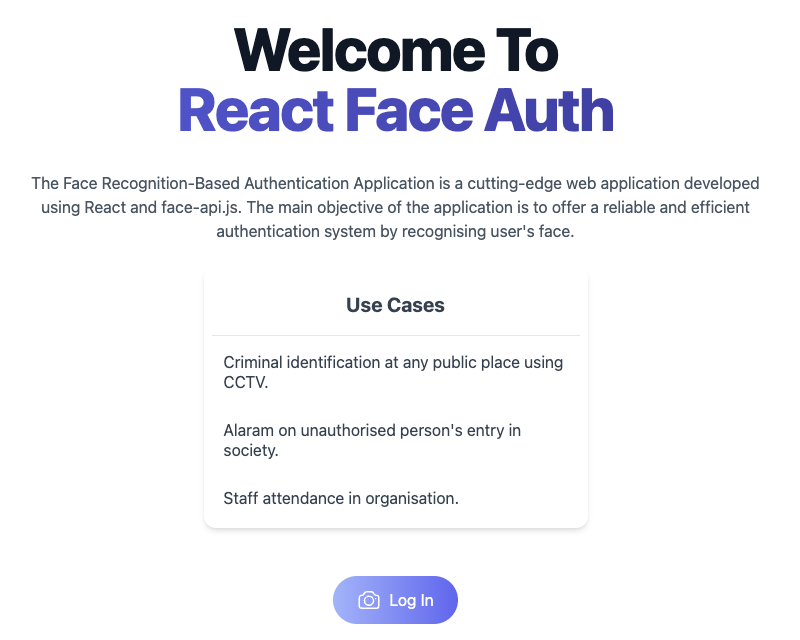
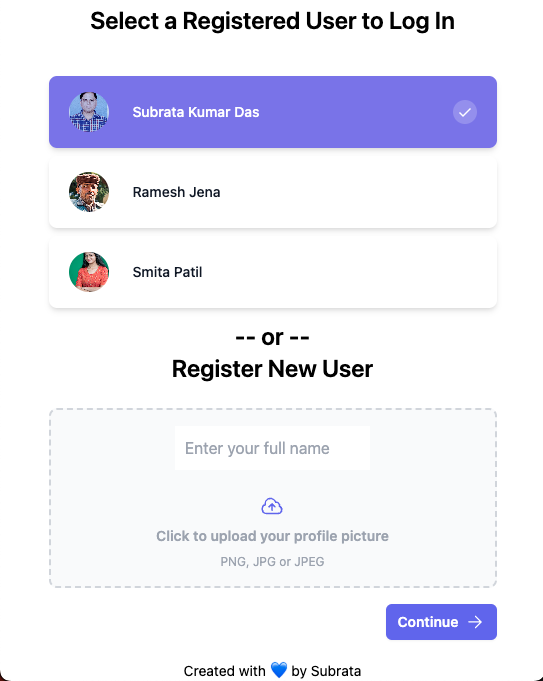
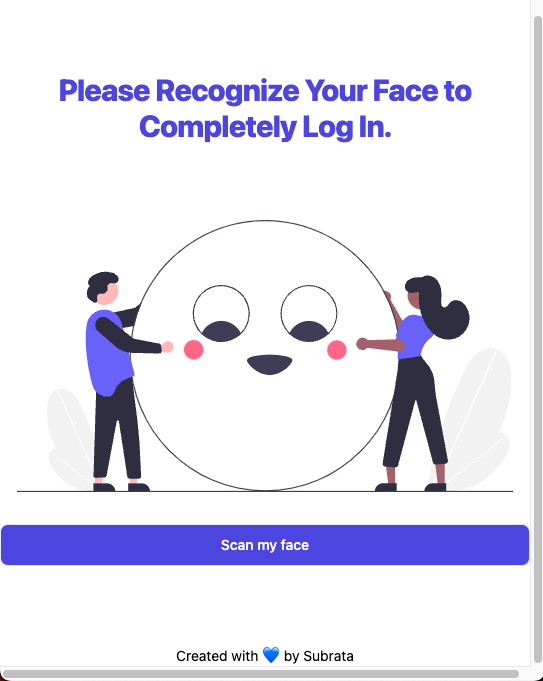
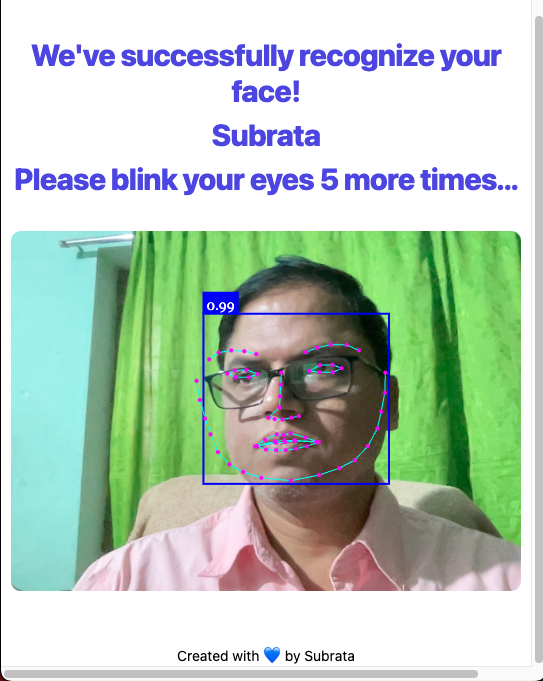

✨ Features
- Facial Recognition — Uses face-api.js to detect and recognize faces in real-time
- Multi-User Support — Register and authenticate multiple users
- Client-Side Processing — All face recognition happens in the browser; no data sent to servers
- Secure Authentication — Foundation for implementing liveness checks to prevent spoofing attacks
- Real-Time Video Stream — Live webcam feed with instant face detection and recognition
- Responsive UI — Clean, modern interface built with React and TailwindCSS
🧠 How It Works
Step 1: Registration
- User allows camera access
- App detects their face in the video stream
- Generates a face descriptor — a unique 128-number array (mathematical fingerprint of the face)
- Saves this descriptor locally (in browser localStorage)
Step 2: Login
- Webcam opens again
- A new face descriptor is generated from the live video feed
- App compares the new descriptor against all saved descriptors using Euclidean distance
- If the distance is small enough (typically < 0.6), it's a match → User is authenticated
Step 3: Anti-Spoofing (Liveness Check)
Before or after recognition, the system can challenge the user:
- App requests a random action: "Please blink twice" or "Please smile"
- Watches facial landmarks (68 key points on the face) in real-time
- Detects if eyes actually closed (blink) or mouth opened (smile)
- Only approves login if the challenge is passed
A printed photo cannot blink. A video could theoretically be replayed, but randomized challenges make this impractical.
🧬 The Models Behind the Magic
face-api.js uses pre-trained neural networks (built on TensorFlow.js) to process face data:
| Model | Size | Purpose |
|---|---|---|
| Tiny Face Detector | ~190 KB | Fast face detection on live video streams. Optimized for real-time performance on mobile. |
| SSD MobileNet V1 | ~5.4 MB | High-accuracy detector in this repo (4.0 MB + 1.4 MB shards, plus manifest). |
| Face Landmark 68 Net | ~350 KB | Detects 68 key points on the face (eyes, nose, mouth, jaw). Essential for liveness detection. |
| Face Recognition Net | ~350 KB | Generates the 128-number face descriptor for identity matching. |
| Face Expression Net | ~600 KB | Detects emotions (happiness, sadness, anger, surprise). Useful for smile-based challenges. |
| Age & Gender Net | ~380 KB | Estimates age and gender (for demographics or additional context). |
Models are stored as .json (architecture) + .bin files (weights), split into ~4 MB chunks for parallel browser download.
📋 Prerequisites
- Node.js v16+ and npm v8+
- Modern browser with Webcam support (Chrome, Firefox, Safari, Edge)
- Secure context (HTTPS or localhost) — browsers require HTTPS for webcam access
- Camera permissions — users must grant permission to access their webcam
🚀 Installation
1. Clone the repository:
git clone https://github.com/subraatakumar/face-recognition-authentication-system-prototype.git
cd face-recognition-authentication-system-prototype
2. Install dependencies:
npm install
3. Start the development server:
npm run dev
The application will open at http://127.0.0.1:5173/.
4. Build for production:
npm run build
Output is in the dist/ directory.
5. Deploy to GitHub Pages:
npm run deploy
📁 Project Structure
src/
├── main.jsx              # Vite entry point
├── index.css             # Global styles
├── App.jsx               # Root component
├── router.jsx            # React Router configuration
├── components/
│   ├── Footer.jsx        # Footer component
│   └── User.jsx          # User management component
├── pages/
│   ├── Layout.jsx        # Main layout wrapper
│   ├── Home.jsx          # Home/welcome page
│   ├── Login.jsx         # Login page with face recognition
│   ├── Protected.jsx     # Protected route (post-login)
│   └── UserSelect.jsx    # User selection before login
└── assets/
    └── images/           # Application images

public/
├── models/               # Pre-trained face-api.js models
│   ├── tiny_face_detector_model-*.bin
│   ├── face_landmark_68_model-*.bin
│   ├── face_recognition_model-*.bin
│   └── ... (other model files)
└── temp-accounts/        # Temporary user data storage (browser localStorage)
🔍 Understanding Blink Detection (Core Anti-Spoofing)
The Eye Aspect Ratio (EAR) is a mathematical formula that detects blinks by analyzing facial landmarks:
       |p2 - p6| + |p3 - p5|
EAR = ─────────────────────────
            2 * |p1 - p4|
- When eyes are open, EAR ≈ 0.3
- When eyes are closed (blink), EAR ≈ 0.0
By monitoring EAR frame-by-frame from the video stream, the system reliably detects blinks in real-time. A liveness check waits for blink count ≥ 2 within a time window (e.g., 5 seconds).
🛡️ Security Considerations
- Client-Side Processing: All face data processing happens locally in the browser. Face images are never stored or transmitted to a server.
- Face Descriptors: The system only saves 128-number arrays (mathematical fingerprints), not actual photos.
- Liveness Verification: Randomized challenges (blink, smile, head turn) prevent replay attacks and photo/video spoofing.
- Production Deployment:
- Always use HTTPS (browsers require it for webcam access)
- Implement server-side verification of liveness checks
- Encrypt stored face descriptors in a database
- Add rate limiting to prevent brute-force attempts
- Use signed tokens to prevent client-side tampering
🌍 Real-World Use Cases
- Corporate Attendance — Touchless check-in systems verifying employees are physically present
- Two-Factor Authentication — Replacing SMS codes with face + liveness check
- KYC (Know Your Customer) — Identity verification for fintech and banking apps
- Exam Proctoring — Ensuring the registered test-taker is the same person taking the exam
- Accessibility — Hands-free navigation for users with motor disabilities
🧪 Testing & Troubleshooting
Camera Not Detected?
- Ensure HTTPS is enabled (or using localhost)
- Check browser permissions for webcam access
- Try a different browser
- Verify your webcam works in other applications
Face Not Being Recognized?
- Ensure adequate lighting
- Position face within the frame
- Remove sunglasses or heavy makeup if used during registration
- Get closer to the camera
- Try adjusting the distance threshold (default: 0.6)
Model Loading Slow?
- First load caches models in browser localStorage — subsequent loads are faster
- Check internet connection
- Try a different browser (Chrome typically loads fastest)
📚 Learn More
For in-depth explanation of how this works, including implementation details and advanced concepts, read the full blog post: 👉 How to Build a Liveness-Check Login with face-api.js and React
🛠️ Technologies Used
- React 18 — UI library
- React Router DOM — Client-side routing
- face-api.js — Face detection, recognition, and liveness detection
- TensorFlow.js — Neural network runtime (used by face-api.js)
- Tailwind CSS — Utility-first CSS framework
- Headless UI — Unstyled accessible components
- Vite — Modern build tool and dev server
🚀 Next Steps / Enhancements
- Randomized Liveness Challenges — Instead of always blinking, randomly pick from: blink, smile, turn left, turn right
- Backend Integration — Connect to Node.js + MongoDB/PostgreSQL to persist user descriptors across sessions
- Fallback Authentication — Add password login as a backup in case camera fails
- Mobile App — Use
@tensorflow/tfjs-react-nativeto bring this to React Native apps - Edge Case Testing — Test with glasses, different lighting, hats, and adjust thresholds accordingly
- Advanced Spoofing Detection — Detect printed photos, replayed videos, or deepfakes
- Multi-Factor Authentication — Combine face login with other authentication methods
🤝 Contributing
Contributions are welcome! If you find bugs, have suggestions, or want to improve the application:
- Fork the repository
- Create a feature branch (
git checkout -b feature/amazing-feature) - Commit your changes (
git commit -m 'Add amazing feature') - Push to the branch (
git push origin feature/amazing-feature) - Open a Pull Request
Please ensure your code follows the existing style and includes appropriate comments.
📄 License
This project is licensed under the MIT License — see the LICENSE file for details.
🙏 Acknowledgments
- face-api.js — Built on face-api.js by Vincent Mühler
- TensorFlow.js — Powered by TensorFlow.js
- Original prototype by Subrata Kumar Das
Built with React, face-api.js, and TailwindCSS. All processing happens on your device — no face data is sent anywhere. 🚀